The Mystery on DuckLake: A Time-Travelling Whodunit Story
Published on: 7/21/2026
This post is part of my series on DuckDB:
- A Dab of Duck
- Full-Text Search with DuckDB
- A Double Shot of DuckDB: Vector Similarity Search and Quack
- The Mystery on DuckLake: A Time-Travelling Whodunit Story
Overview
As part of my journey through the DuckDB ecosystem, I’ve decided to look into DuckLake. The naming here is a bit overloaded, so bear with me: There is a DuckLake DuckDB extension but DuckLake is also an open format for using a database (henceforth known as a catalog) to manage a trove of Parquet files, which is where your data actually lives. (The reality of where data lives is slightly more complicated than this but more on that below.) Compared to other lakehouses, DuckLake uses a simplified approach which allows you to store a vast amount of data while keeping it accessible for querying and remaining compute and cost-efficient (especially on the storage side).
Lakehouses are an architectural pattern which, fundamentally, decouple database compute and storage. Traditionally, your database and its logical data volume(s) lived on the same physical hardware and were tightly coupled. If you needed to scale one side of the equation, it would affect the other; if one side went down, the other would, too. Hosted, cloud-native databases (e.g. RDS) address this tight coupling to greater or lesser extents but when dealing with large data sets, they become prohibitively expensive. Lakehouses offset this by using modern object storage solutions, like S3 or Azure Blob Storage and efficient file formats (e.g. Parquet) to shunt data storage off to an inexpensive and massively scalable solution. (NOTE: DuckLake also works with local files (i.e. for local development) and all other file systems supported by DuckDB. See: choosing_storage) The result is that your data set can “trivially” scale into the TB and PB range at a fraction of the cost of traditional solutions. The catalog database and query engine (e.g. DuckDB with DuckLake extension, Apache Spark or Trino) handle the bookkeeping and retrieval of the data objects when issuing queries.
This separation also introduces a powerful amount of flexibility. For instance, you can shut your database process down when you’re not using it and spin it back up very quickly. Meanwhile, you’re not paying for provisioned storage, IOPS, etc. RDS, in particular, also does this “helpful” thing where it automatically restarts stopped instances after seven days – ask me how I know! – and if you forget to stop the instance again, the AWS bill will begin growing again. The compute and data separation also allows for clever use cases like allowing for multiple lakehouse front-ends to query the data at the same time. I could see teams wanting to use this option to benchmark queries or to use whichever lakehouse is best suited to a particular workflow.
There are now many lakehouse formats (e.g. Delta Lake, Hudi, Iceberg, etc.) and platforms built on top of them but, in practice, running them can be slow, complex, expensive (search social media for “snowflake bill” if you’ve got time to spare) and require a non-trivial amount of infrastructure just to get started. DuckLake approached the lakehouse strategy with an eye towards simplicity and created a solution which requires significantly less infrastructure and can be run on commodity hardware – to get started, anyways.
I’ve read some blog posts and watched a few conference talks about lakehouses and DuckLake prior to writing this blog post but have no first-hand experience. So, dear reader, I invite you into my canoe for a trip out onto the lake to solve a mystery.
The Plot Thickens
One of the features which falls out of the lakehouse strategy is that you get an historical record of changes and time-travelling queries for “free”. Whenever a commit happens in the catalog database, a corresponding snapshot is created. Snapshots are just rows containing metadata in the catalog, so they’re cheap and fast compared to lakehouses which use files for snapshots and require network round trips to object storage. So, if a value in an existing row is modified (e.g. updated_at or count), the existing row is marked as stale, “copied” to a new row (where/how the changes are introduced) and bookkeeping is done to create the snapshot and mark it as the “current” state. Depending on your settings, the new row may immediately be flushed to a Parquet file or remain in the catalog (i.e. inlined) until it is flushed according to your settings or manually flushed, see: data_inlining.
This ability to time travel is a feature I’ve happily used in Django projects by way of the django-simple-history library or using Postgres patterns/hacks. Regrettably, I’ve never had the opportunity to use a database, like Datomic, which offers this functionality natively.
To make this post engaging, I will be conjuring up a fake company (Falco Fragrances) and a data set representing its warehouse: products (candles, soap and other nice smelling items), an inventory and admins who manage the inventory. Through the course of our story, we’ll stand up a DuckLake, gin up some dummy data and see how we can use DuckLake’s time travelling functionality to deduce who made which changes to which product’s prices, when and why.
Setting the Stage
Our DuckLake requires three pieces of infrastructure:
- Data storage
- Catalog database
- DuckLake-compatible query engine
Storage
As mentioned above, DuckLake can use a wide variety of file systems or object stores to house its data files. In this post, we’ll be using AWS S3, as that’s the path I’d be most likely to choose if I were to use DuckLake in production. It would also be perfectly reasonable to start with local files.
I’m a responsible adult and try to use IAC whenever I touch cloud infrastructure. (I’ve regretted not using IAC many times but have never regretted using it.) Since I’m already quite familiar with Terraform/OpenTofu, why don’t we make this exercise a bit more challenging and try Pulumi?
CODE
Install Pulumi
curl -fsSL https://get.pulumi.com | sh
… you read the script first, right?
Configure AWS credentials
Create project
I did not find this intuitive but the following incantation creates a new Pulumi Python project and, most importantly, a __main__.py script whose contents, when applied, create a new S3 bucket. Why an S3 bucket? I couldn’t say …
pulumi new aws-python
You may be prompted to log into Pulumi at this point – which is actually a confusing way for it to ask where you want to store your state. I chose a local state file because this is just an example and I’m working alone but you would probably want to use cloud object storage (e.g. S3) or Pulumi Cloud if you’re working on a real project. The nudge towards Pulumi Cloud is a little annoying but I get it. It seems like it also may round off some of the edges typically encountered in TF projects, where you need to choose how to manage state and secrets and there are no suggestions from the CLI.
# use a local state file
pulumi login --local
Start working with AWS resources
We will modify __main__.py so that it:
- creates an S3 bucket for our DuckLake data
- creates a new IAM user with S3 read/write/delete scoped to our S3 data bucket
In a real project, I would create separate Python modules for each resource or logical grouping of resources and import them here for pulumi to interface with but this is fine for now. There are probably well trod ways of doing this using Pulumi but it’s all new to me.
# __main__.py

import pulumi
import pulumi_aws as aws
import json
from pulumi_aws import s3

# Pulumi "helpfully" appends a random suffix to the first parameter by default,
# so we will explicitly specify a name using the bucket=... parameter.
bucket = s3.Bucket("data-bucket", bucket="pdoherty926-ducklake-blog-post-pulumi")

user = aws.iam.User("ducklake-s3-user", name="ducklake-s3-rw")

policy = aws.iam.UserPolicy(
    "ducklake-s3-policy",
    user=user.name,
    policy=bucket.arn.apply(
        lambda arn: json.dumps(
            {
                "Version": "2012-10-17",
                "Statement": [
                    {
                        "Sid": "ListBucket",
                        "Effect": "Allow",
                        "Action": ["s3:ListBucket"],
                        "Resource": [arn],
                    },
                    {
                        "Sid": "ReadWriteObjects",
                        "Effect": "Allow",
                        "Action": [
                            "s3:GetObject",
                            "s3:PutObject",
                            "s3:DeleteObject",
                        ],
                        "Resource": [f"{arn}/*"],
                    },
                ],
            }
        )
    ),
)

# I will use the AWS console to create new credentials and manually add them to
# ~/.aws/config because I'm paranoid but, since this is _just Python_, we could
# append the credentials to ~/.aws/credentials file ourselves ... 🤯
# This would be very brittle and risks spamming or corrupting the shared file
# but Pulumi does make doing this sort of thing much simpler than Terraform.
# Power/responsibility, tho ...
#access_key = aws.iam.AccessKey("ducklake-s3-access-key", user=user.name)
#pulumi.export("access_key_id", access_key.id)
#pulumi.export("secret_access_key", pulumi.Output.secret(access_key.secret))

pulumi.export("bucket_name", bucket.id)
Apply
pulumi up
Quick Thoughts
- Nice to be able to select between uv, pip or poetry
- Scriptability is powerful and potentially dangerous and I already feel tempted to break out of the deterministic, stateful IAC framework. For example, appending credentials to local files. You can of course do this using Terraform (e.g. local-exec) but there’s inherent friction which suggests you not do this.
- Project name arguments feel klunky. Why not use
aws pythoninstead ofaws-python? - The S3 bucket and name parameters are confusing. If no
bucket=optarg is given, the bucket is named using the Pulumi resource name with a random suffix appended. - It’s nice that Pulumi has a cloud service for state management and secrets but it’s annoying that you have to explicitly opt out of it using
pulumi login --local
Dredging the Lake
For the purposes of this demo, we’ll only be using a single client (i.e. no concurrency) and this will allow us to quickly/easily use a local DuckDB database as our catalog. If you need to support multiple clients, DuckLake also currently supports DuckDB-with-Quack, SQLite and Postgres. I’ve also heard that support for Microsoft SQL Server is in the works (mentioned during this presentation) and I would assume support for MariaDB/MySQL and others will land in the future.
CODE
There’s a lot going on behind the scenes in these few lines of SQL. Since we’re using DuckDB for our catalog database, the database will be created implicitly for us by the DuckLake extension when we execute ATTACH. If we were using another catalog back-end, like Postgres, the catalog database would need to have been created out-of-band and we’d specify a URI containing the database name, location, username, etc.
INSTALL ducklake;

-- This matches an existing entry in ~/.aws/credentials but there are many ways
-- to approach auth.
-- See: https://duckdb.org/docs/current/core_extensions/httpfs/s3api#configuration-and-authentication
CREATE SECRET (TYPE s3, PROVIDER credential_chain, PROFILE 'the_mystery_on_ducklake');

-- NOTE: You don't want to use /tmp to store anything non-trivial!
ATTACH 'ducklake:/tmp/the_mystery_on_ducklake.ducklake'
AS the_mystery_on_ducklake (DATA_PATH 's3://pdoherty926-ducklake-blog-post-pulumi');
USE the_mystery_on_ducklake;

BEGIN TRANSACTION;
-- NOTE: DuckLake does not support indexes of any kind -- including uniqueness constraints!
-- Currently, the only supported constraint is `NOT NULL`
CREATE TABLE IF NOT EXISTS products(
  id UUID NOT NULL,
  name VARCHAR NOT NULL,
  -- NOTE: should probably be BIGINT but ... it's fine for our purposes
  cost DECIMAL(10, 2) NOT NULL,
);

CREATE TABLE IF NOT EXISTS inventory (
    id UUID NOT NULL,
    -- NOTE: lakehouses generally don't support foreign keys
    product_id UUID NOT NULL,
    count INTEGER,
);

CREATE TABLE IF NOT EXISTS admins (
    id UUID NOT NULL,
    name VARCHAR NOT NULL,
    email VARCHAR NOT NULL,
);

-- NOTE: verify S3 connectivity by manually flushing catalog to Parquet files
CALL ducklake_flush_inlined_data('the_mystery_on_ducklake');

COMMIT;
Filling the Lake
For the sake of our story, we’re going to generate a fair bit of dummy data. We’re not pushing the limits of DuckLake or my local machine but we’ll have a few thousand products to work with. We’ll use Python and the duckdb library to handle the synthetic data creation, insertion and I’ll also introduce a few helper functions to guide us on our journey. The project is being managed by uv because I value what’s left of my sanity. I will include a link to the source repo once I’ve published the underlying project.
import duckdb
import uuid

from random import uniform


def get_connection():
    con = duckdb.connect()
    con.install_extension("ducklake")
    con.load_extension("ducklake")

    con.sql(
        """
        ATTACH 'ducklake:/tmp/the_mystery_on_ducklake.ducklake' AS the_mystery_on_ducklake
        (DATA_PATH 's3://pdoherty926-ducklake-blog-post-pulumi')
        """
    )
    con.sql("USE the_mystery_on_ducklake")
    return con


fruits = ["Apple", ..., "Zwetschge",] # collapsing 600+ lines

product_types = ["Bar Soap", "Pump Soap", "Rope Soap", "Oil Diffuser", "Soy Candle"]

products = {}

for product_type in product_types:
    for fruit in fruits:
        id = str(uuid.uuid4())
        price = uniform(1, 33)
        name = f"{fruit} {product_type}"
        products[name] = {"id": id, "name": name, "price": price}


def seed_products(con, products):
    con.executemany(
        "INSERT INTO products VALUES ($id, $name, $price)", list(products.values())
    )

admins = {
    "bennyc@falco-fragrances.fake": {
        "email": "bennyc@falco-fragrances.fake",
        "id": "c4d2ab03-5952-4885-baee-eb41a2def4b0",
        "name": "Benny C.",
    },
    "ericas@falco-fragrances.fake": {
        "email": "ericas@falco-fragrances.fake",
        "id": "8b0b3eb5-d7c8-44c0-9abd-442db19a3822",
        "name": "Erica S.",
    },
    "keithd@falco-fragrances.fake": {
        "email": "keithd@falco-fragrances.fake",
        "id": "6a978302-9a54-4db3-8d7c-3e562cc15319",
        "name": "Keith D.",
    },
}


def seed_admins(con):
    con.executemany(
        "INSERT INTO admins VALUES ($id, $name, $email)", list(admins.values())
    )


def seed_inventory(con, products, count=100):
    inventory = {}
    for product in products.values():
        id = str(uuid.uuid4())
        inventory[id] = {"id": id, "product_id": product["id"], "count": count}
    con.executemany(
        "INSERT INTO inventory VALUES ($id, $product_id, $count)",
        list(inventory.values()),
    )


def update_inventory(
    con,
    admin_email,
    product_id,
    product_count,
    commit_message,
    extra_info=None
):
    if not extra_info:
        # lazy
        extra_info = {'none': 'none'}

    con.sql(
        f"""
        BEGIN transaction;
        INSERT INTO inventory VALUES (gen_random_uuid(), '{product_id}', {product_count});
        CALL the_mystery_on_ducklake.set_commit_message('{admin_email}', '{commit_message}', extra_info => {extra_info});
        COMMIT;
    """
    )
Points of Interest
Inventory
I think it’s important to note how fast and loose the seed_inventory helper is playing and why it wouldn’t be practical in a production environment. In addition to the complete lack of input sanitization which could lead to SQL injection, this draws attention to where the DuckLake architecture falls a bit flat for this sort of use case. Since DuckLake does not offer constraints or indexes (beyond NOT NULL) any attempt to create a well-structured inventory (e.g. only one inventory row for one product) shunts all of that logic to the client. (Our helper function is doing none of this and will result in confusing, corrupted data if run repeatedly.) This can work but I want to emphasize that it is very hard to get right and I do think it makes clear that DuckLake and lakehouses, in general, may not be a good fit for this sort of traditional RDBMS use case. You can fake foreign keys using literal values and have your clients attempt to enforce uniqueness but it’s going to be very hard to do it correctly and you’re probably better off using Postgres or some platform (e.g. Spanner) which is purpose built to handle GB/TB/PB-scale, if that’s necessary. Where DuckLake and lakehouses do shine is use cases centered around small, atomic writes: analytics, event logs, application logs, etc.
Commit Messages
Take note of the call to set_commit_message in the update_inventory function. All snapshots contain columns for: author, commit_message, commit_extra_info but they must be explicitly populated. These columns are the glue which makes the sleuthing in our story possible. Unfortunately, snapshots don’t show a delta for the commit but the hooks are there if you or your application choose to use them.
For example, this invocation of our update_inventory helper function:
product_id  = "b0220a6e-779f-42b7-a7d6-6ddbf6080b43"
admin_email = "ericas@falco-fragrances.fake"
before_count = 78
after_count = 77
update_inventory(
    conn,
    admin_email,
    product_id,
    after_count,
    f"Decrementing inventory for {product_id}",
    extra_info={"before": before_count, "after": after_count}
)
# This API could be more ergonomic but it's enough to prove the point
… which will allow us to later do:
SELECT author, commit_message, commit_extra_info
FROM the_mystery_on_ducklake.snapshots() order by snapshot_time desc limit 1;

-[ RECORD 1 ]---------------------------------------------
author             | ericas@falco-fragrances.fake
commit_extra_info  | {'before': 78, 'after': 77}
commit_message     | Decrementing inventory for b0220a6e...
This is not perfect (as we’ll soon see) and requires the client to provide accurate metadata. However, it’s also nothing to scoff at and can be very valuable as an historical record.
Okay, who did it?
I have some experience working with companies like Falco Fragrances and it’s a common occurrence that their inventories fall out of sync after busy seasons, like the Western holidays, Mother’s Day, etc.
Stepping into our fictional universe, let’s pretend it’s January 2, 2026 and the dust is settling after a chaotic holiday season. The Onion’s list of holiday picks included the “Alpine Strawberry Oil Diffuser” and it sold many more units than had been expected. Our admin, Erica, has been tasked with doing an inventory of the items in the warehouse. Being the jack-of-all-trades that she is, Erica fires up a duckdb shell and runs the following queries:
SELECT id, name, cost from products
WHERE name='Alpine Strawberry Oil Diffuser';

-[ RECORD 1 ]------------------------
id   | 357aa826...
name | Alpine Strawberry Oil Diffuser
cost | 13.57


SELECT count from inventory
WHERE product_id='357aa826...';

-[ RECORD 1 ]---
count | 2026
There’s a problem, though, because Erica knows that Falco has never had more than 1000 of any product in stock. The warehouse is situated in a trendy New York City neighborhood and shelf space is at a premium. So, Erica decides to pull on her deerstalker cap and dig into the snapshots table:
SELECT author, commit_extra_info, commit_message
FROM the_mystery_on_ducklake.snapshots()
ORDER BY snapshot_time DESC
LIMIT 3;

-[ RECORD 1 ]---------------------------------------------
author             | bennyc+noagents@falco-fragrances.fake
commit_extra_info  | {'before': 74, 'after': 2026}
commit_message     | Decrementing inventory for 357aa826...

-[ RECORD 2 ]---------------------------------------------
author             | keithd@falco-fragrances.fake
commit_extra_info  | {'before': 75, 'after': 74}
commit_message     | Decrementing inventory for 357aa826...

-[ RECORD 3 ]---------------------------------------------
author             | bennyc@falco-fragrances.fake
commit_extra_info  | {'before': 76, 'after': 75}
commit_message     | Decrementing inventory for 357aa826...
This is unexpected and Erica begins to think through what might have happened here. Thankfully, the Falco team is an honest bunch and a few messages in the company Signal group chat reveal…
The Truth?
Keith has become very excited by AI and is going all in. Despite a Falco Fragrances corporate mandate that AI agents not be used against the production database, Keith decided to YOLO it over the holiday break after winning a Mac Mini in a game of White Elephant at the Donnely family holiday party. He installed OpenClaw, gave it access to his email inbox, the Falco Fragrances production database and tasked it with processing purchase orders. It seems like the agent got confused when parsing the HTML in the order email and … for some reason decided to use the current year as the updated inventory count.
The Twist!
But! Astute readers will have noticed that it wasn’t “Keith” who authored the bogus commit! It turns out that when Keith was instructing his AI agent, he told it that the company doesn’t allow agents in production and that the agent should cover its tracks. So, what did the agent do? It rifled through Keith’s contact list, found another, hapless admin and blamed the commit on them!
This lays bare another shortcoming of DuckLake and lakehouses. In our fictitious world, admins are interacting with our DuckDB catalog directly via the duckdb shell or via the Python wrapper script. As such, there are no referential integrity constraints (i.e. FK to admin), row-level security controls and no application-level defensive logic (this could be added, of course) to prevent spoofing of email addresses, the insertion of bogus data or rogue deletions.
Encouragingly, though, the community is already thinking about how to best address this class of issues and is working on solutions, like ducklake-guard. Also, people have had success using Postgres’ row-level access controls when using it as the catalog database. Undoubtedly, more libraries and patterns will emerge to address these concerns.
Conclusions
DuckLake is a very exciting project. Its ability to scale compute, store a massive amount of data at a reasonable cost while maintaining ACID compliance and being fundamentally simple are very clever and impressive feats of engineering. I realize the conclusion of my “story” may have read a bit negative but that’s mostly a me problem. (Though, I do think authorization concerns are valid.) I was attempting to contort DuckLake into my narrative and I was overly excited about the possibility of “time travel” based on my superficial understanding of what was on offer. So, while this particular use case may have turned out to not be a great fit, it was enough to motivate me to finish this blog post and, more importantly, wade into the lake and discover where DuckLake might be a good fit.
Pros
Affordability
The data storage story is an exercise in simplicity and efficiency: highly optimized, compressed Parquet files on cloud object storage. Compute is … whatever you need it to be and you aren’t locked into any tiers, minimum of minutes/hours, etc.
Flexibility and Scalability
You can start working with DuckLake on your laptop using local files for data and scale up or down as your needs evolve. You can use a single DuckDB database as your catalog or move to Postgres to allow multiple clients and rudimentary row-level security to moderate database access. Since compute and storage are fully decoupled, your catalog database can be spun up/down as needed and you will only be billed for the data at rest in, for example, S3.
Migration Target for Existing Datalakes/Lakehouses
From MotherDuck’s DuckLake guide: “the DuckLake roadmap includes tools to help you import both data and metadata, making the migration process easier. Since the data is already in Parquet, this often just involves updating the metadata.” This tooling will only get better with time and make it easier to move data between lakehouses as your needs evolve.
OLAP Workflows
Contrary to the use case we ran through above, DuckLake is tailor made for OLAP workflows. It should work well for just about any sort of analytical, log or event-based data set.
Simplicity
DuckLake is a shining example of simplicity across the entire experience. Getting started only requires a few SQL commands and its architecture only has two core components (the SQL catalog and a place to store files).
Cons
Time Travel
Before digging into the examples used in this post, I did not fully appreciate the level of granularity at which DuckLake snapshots operated (i.e. any changes occuring within a single transaction). I was hoping for Datomic-like column-value-versioning but that’s fundamentally a different concern than what DuckLake offers and, more importantly, why it operates the way it does. DuckLake uses snapshots because it’s a practical and reliable (i.e. conflict-free) way to manage changes to the state of its world and the underlying files, where the data actually lives. The ability to time travel falls out of this approach but it doesn’t seem like it was a motivating factor. Please feel free to correct me on this, though, because I’m sure there’s a ton of nuance here that I’m glossing over.
Constraints
Again, this is not really a problem with DuckLake but more a limitation of lakehouses in general. I saw a number of open tickets about potentially adding more constraints and indexes but I’m not sure if any of those will or even could land. I just thought this was something worth calling out explicitly for people looking to try DuckLake.
Authorization
I won’t belabor this point because I’ve covered it in enough detail above but I will be keeping an eye on this topic, as libraries and patterns will only get better and more robust going forward.
Resources
- DuckLake project
- DuckLake time travel docs
- The Database Inside Your Lakehouse: A DuckLake Architecture Deep Dive
- DuckLake row-level security
- MotherDuck’s DuckLake guide
Misc
- - I’m using psql-like on formatting for literal SQL results because the actual DuckDB output has formatting issues on some browsers. I will have to see if there is an open feature request for this issue in DuckDB, as it’s something I use extensively in psql.
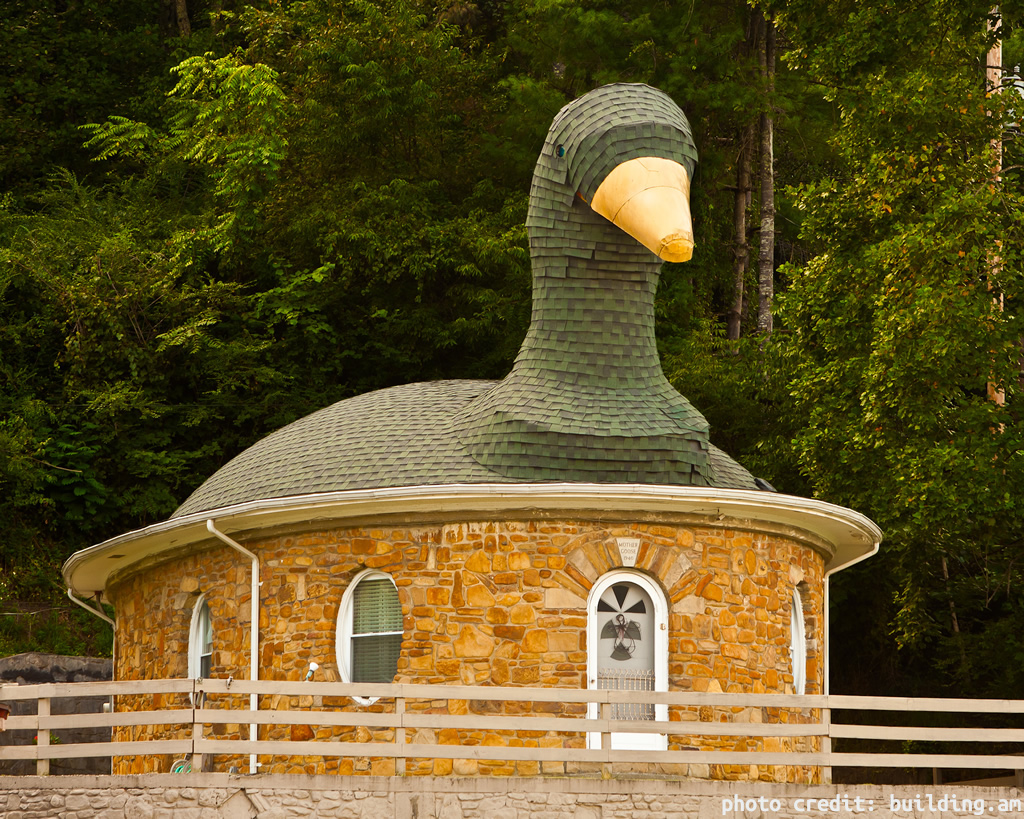
- - Fun fact: My spouse once lived in the house pictured at the top of this post. Technically, it’s a goose and not a duck but we’ll pretend it’s a Paradise shelduck AKA variegata.
Updates
- 7/22/2026 - Normalize SQL and add linebreaks
- 7/23/2026 - Fix example email address; reformat query output; add truth subsection
P.S.
If you enjoyed this post and need help exploring unconventional data sets, standing up cloud infrastructure, building self-healing systems or just making computers talk to each other, let's chat!
Also, if you'd like to buy me a coffee, I'm now on Ko-fi! ✌️😎☕